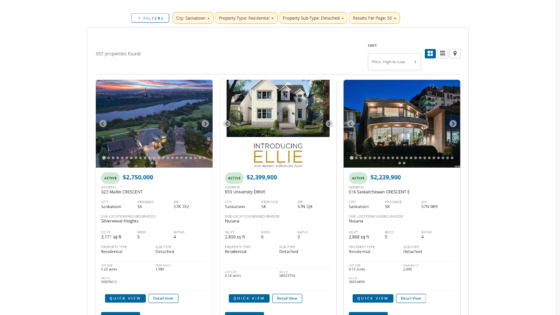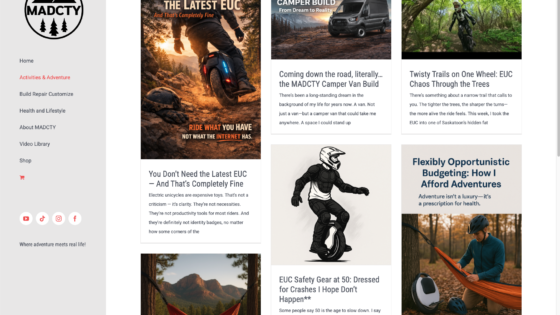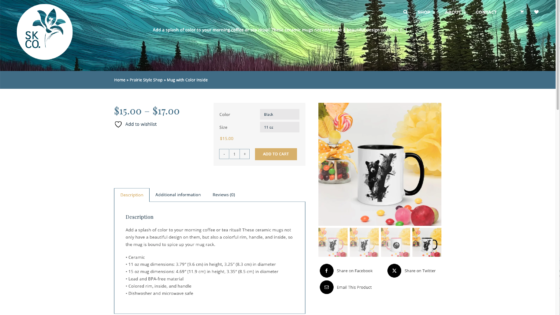

MADCTY YouTube Feed Plugin — Custom WordPress Video Integration System
A custom WordPress plugin developed by TheWebStudio.ca to integrate YouTube content into websites with greater flexibility, stronger visual consistency, and better performance than off-the-shelf embed solutions.
This project focused on turning YouTube from a simple external embed into a structured content layer within WordPress—giving creators and businesses more control over layout, styling, caching, playback, and theme integration.
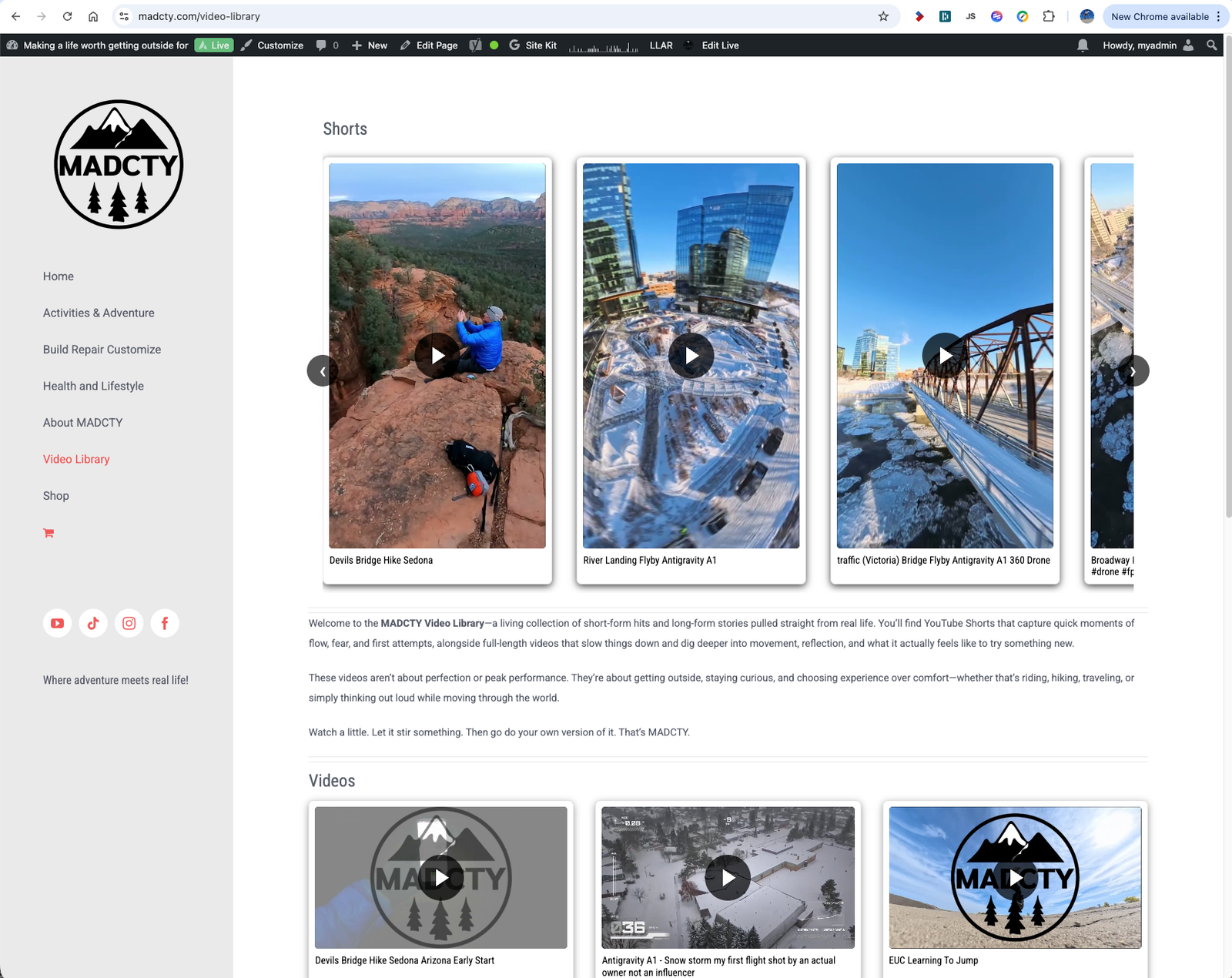
Screenshot 2026-03-25 at 6.10.34 PM
Screenshot 2026-03-25 at 6.11.01 PM
Screenshot 2026-03-25 at 6.11.42 PM
Screenshot 2026-03-25 at 6.12.07 PM
Project Overview
The MADCTY YouTube Feed Plugin was developed to solve a common limitation in WordPress: most YouTube plugins either offer very little control or introduce styling, performance, and compatibility issues that make them feel disconnected from the rest of the site.
TheWebStudio.ca designed and developed a custom plugin that allows YouTube content to be displayed as a native part of the website experience through shortcode-driven layouts, playlist grouping, dynamic video retrieval, and flexible presentation controls.
The result is a reusable WordPress video integration system that supports branded layouts, responsive playback, and efficient content delivery across multiple site types.
Project Details
Client: Internal Product / External Client Application
Agency: TheWebStudio.ca
Scope: WordPress Plugin Development, API Integration, Front-End UX System
Platform: WordPress
Stack: PHP, JavaScript, YouTube Data API, shortcode framework, cached feed rendering
The Challenge
Embedding YouTube videos into WordPress sounds straightforward, but building a polished and scalable system introduces several layers of complexity. The plugin needed to support dynamic data retrieval, visual flexibility, responsive playback, and compatibility with real-world WordPress theme environments.
- Most existing plugins offered limited layout control
- Live video retrieval could create performance issues without caching
- Standard videos and YouTube Shorts required different display logic
- Theme styling conflicts often made plugin output feel disconnected
- Site owners needed simplicity without losing advanced customization options
The goal was to create a plugin that felt native to the site rather than bolted on as a third-party utility.
Objectives
- Build a flexible shortcode-based YouTube integration system for WordPress
- Support multiple display layouts including grids, carousels, and multi-playlist walls
- Handle both standard videos and Shorts in a responsive way
- Reduce API load through caching and efficient feed rendering
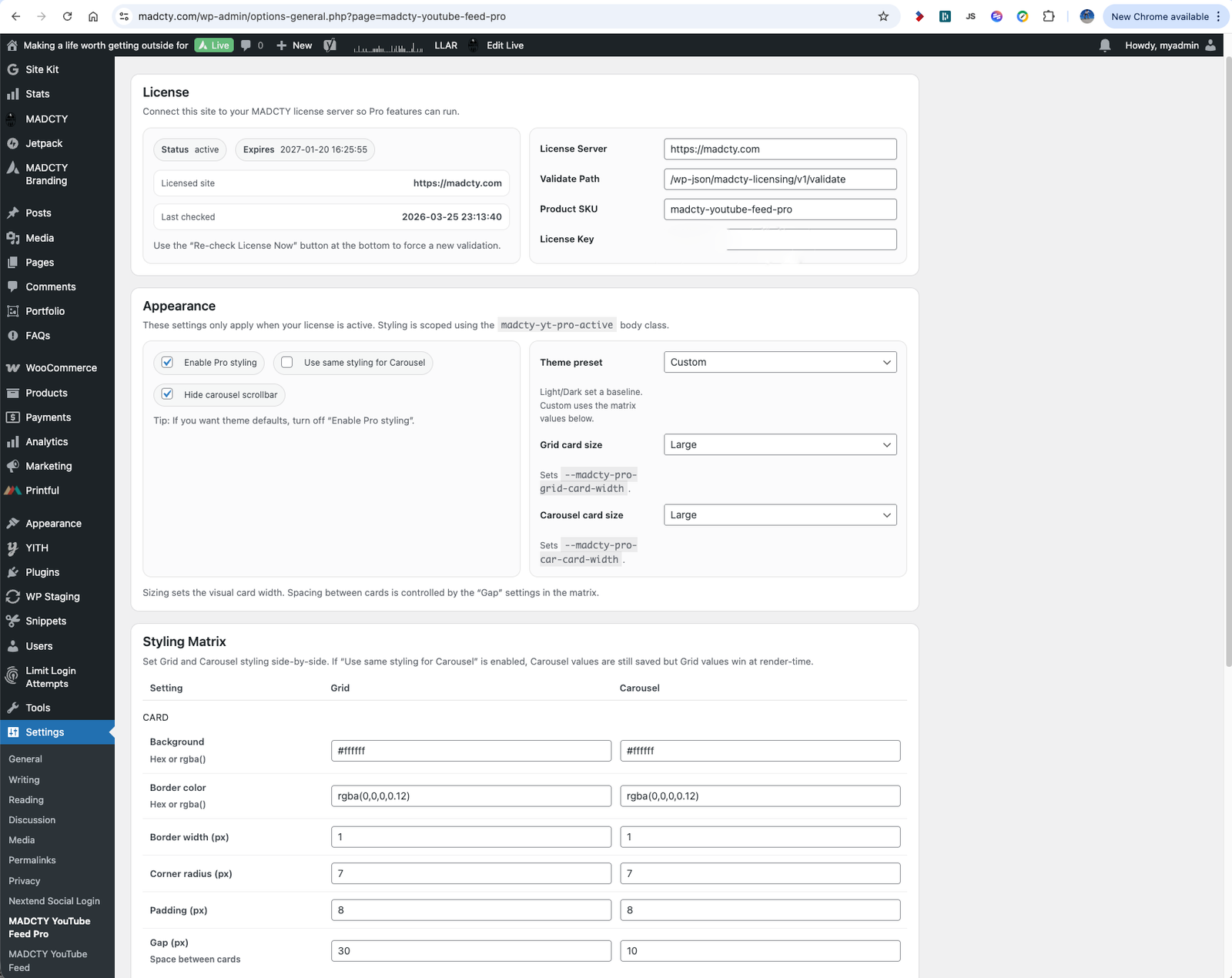
- Allow the plugin to inherit theme styling or use custom design controls
- Create a reusable system suitable for multiple websites and future commercial use
Strategic Approach
TheWebStudio.ca approached the plugin as a content system rather than a basic embed tool. Every major design decision was made to improve integration, performance, and usability while preserving flexibility for future growth and broader deployment.
1. API-Driven Architecture
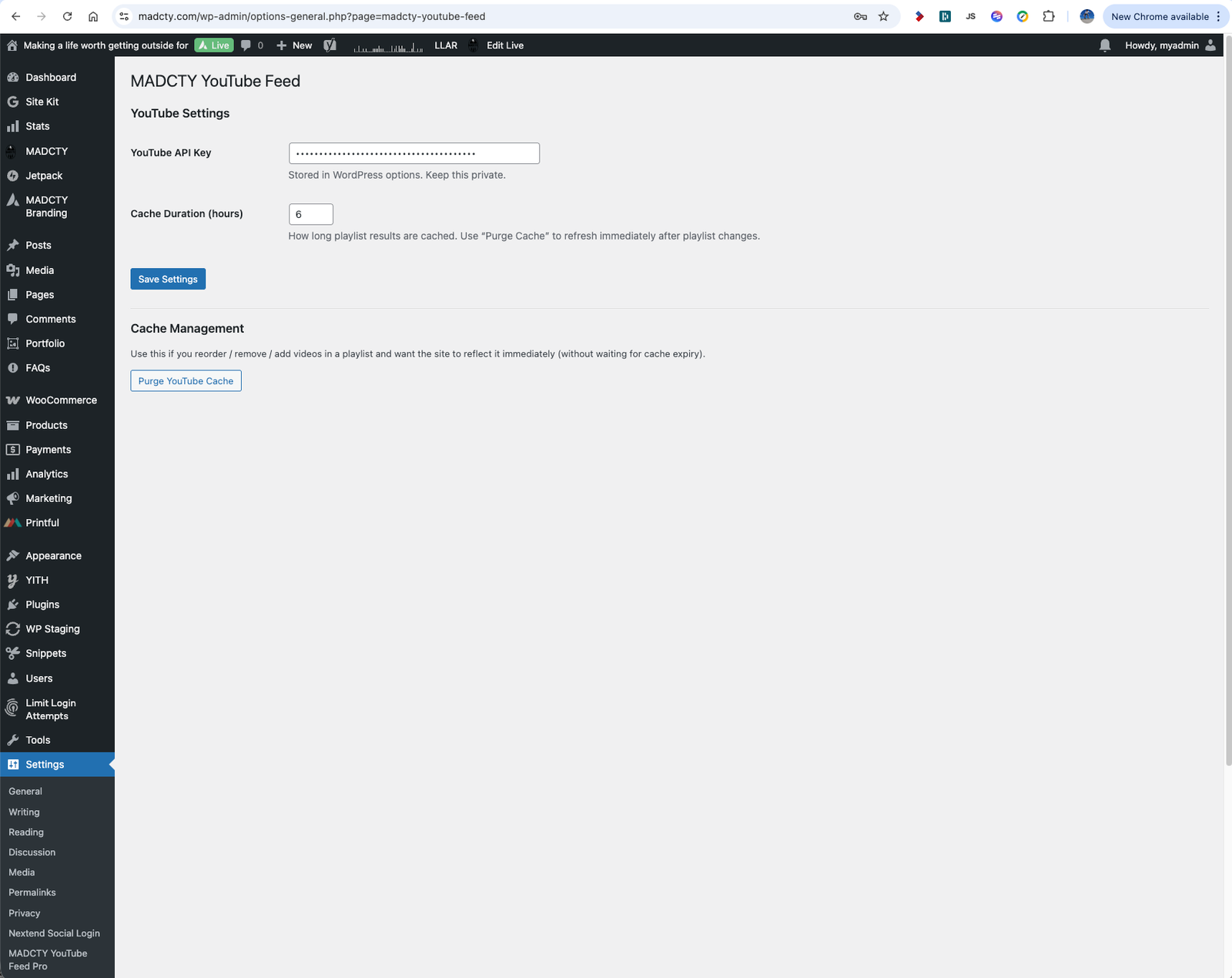
The plugin connects to the YouTube Data API to retrieve playlist items, titles, thumbnails, and associated metadata dynamically. A caching layer was built in to reduce unnecessary requests, improve page performance, and give administrators a practical balance between fresh content and efficient delivery.
2. Flexible Display System
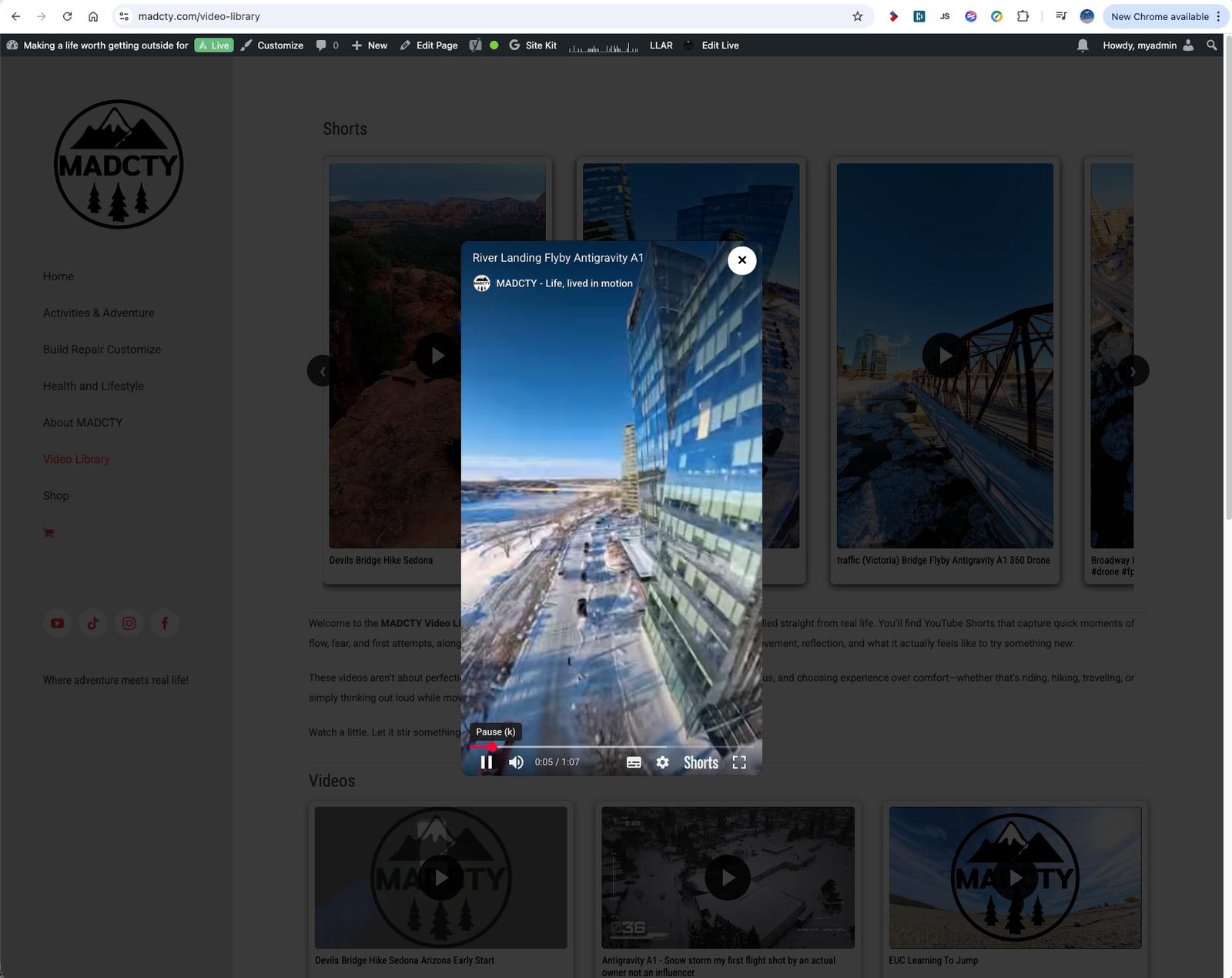
Rather than locking users into a single output style, the plugin supports multiple display modes including grids, carousels, playlist sections, and mixed-content walls. This made it possible to use the same plugin for everything from compact homepage features to dedicated video archive sections.
3. Responsive Video Handling
Standard YouTube videos and Shorts behave differently in both layout and playback. The plugin was designed to account for those differences through adaptive aspect ratio handling, responsive thumbnail presentation, and playback options that could better suit vertical or traditional content formats.
4. Theme Compatibility & Styling Control
The plugin was built to integrate cleanly into modern WordPress environments, including theme and page builder combinations where plugin styling often becomes problematic. Users were given the ability to inherit theme styling or apply custom controls for cards, spacing, typography, shadows, borders, and title display behavior.
Key Features Delivered
The finished plugin combined practical developer architecture with user-facing flexibility, making it easier to treat YouTube content as part of the website’s design system rather than a separate media source.
Shortcode-Based System
Supports simple shortcode implementation for playlists, walls, and mixed section layouts without requiring custom page templates or hardcoded embeds.
Lightbox Video Playback
Provides in-page video viewing with reduced friction, including optional considerations for Shorts and alternative playback presentation.
Performance & Styling Controls
Combines cached feed rendering with appearance controls for layout spacing, card treatment, title display, and theme-aware integration.
Challenges Solved
Performance vs. Dynamic Content
Pulling live YouTube data can easily create page speed and API quota issues. The plugin solved this by introducing sensible caching behavior, reducing unnecessary requests while still keeping content fresh enough for active publishing use cases.
Handling Mixed Video Formats
YouTube Shorts and standard videos do not behave the same way visually. The plugin accounted for that by creating layout logic and playback behavior that could better accommodate different aspect ratios and content types.
Making Advanced Features Usable
A common failure point in plugin development is building something powerful but cumbersome. This system was designed to keep implementation simple through clear shortcodes and sensible defaults, while still allowing deeper control when needed.
Results
The MADCTY YouTube Feed Plugin delivers a more flexible and integrated way to bring YouTube content into WordPress. It supports better brand consistency, more useful layout options, and stronger on-site engagement by keeping video experiences within the design language of the website itself.
It also established a reusable development asset that can be adapted across different client projects and expanded into future product opportunities.
Why the Project Worked
- It was built around real use cases rather than abstract feature lists
- The plugin balanced simplicity for users with flexibility for developers
- Performance and caching were treated as core requirements from the start
- Integration with themes and page builders was considered part of the product, not an afterthought
Key Takeaways
Most YouTube plugins treat video as an embed. This project treated it as a structured content layer. That shift created a better user experience, stronger design consistency, and a more scalable way to distribute video content within WordPress.
Need a Similar Build?
TheWebStudio.ca develops custom WordPress tools, integrations, and content systems designed to fit the actual needs of the site instead of forcing your workflow into someone else’s plugin limitations.
Call to action idea: Add a button here linking to your contact page, consultation page, or portfolio archive.
Optional Add-On: Client Outcome
Add client testimonial, product feedback, or implementation result here.
Optional Add-On: Project Gallery
Add admin screenshots, front-end examples, shortcode examples, or layout comparisons here.
Technology Stack
WordPress, PHP, JavaScript, YouTube Data API, shortcode framework, cached feed rendering
This stack was chosen to provide strong compatibility with WordPress environments while supporting dynamic content retrieval, customizable front-end rendering, and efficient performance through structured caching and reusable shortcode output.