

RESO Property Search Widget — Custom WordPress IDX Web API Integration
A custom WordPress plugin developed by TheWebStudio.ca to connect real estate websites directly to RESO-certified IDX Web API feeds — delivering live MLS listing search, flexible filtering, and fully branded property displays without relying on third-party IDX widgets or iframe-based solutions.
This project turned raw RESO API data into a structured, on-brand property search experience within WordPress — giving real estate professionals and agencies full control over how listings are retrieved, displayed, and navigated.
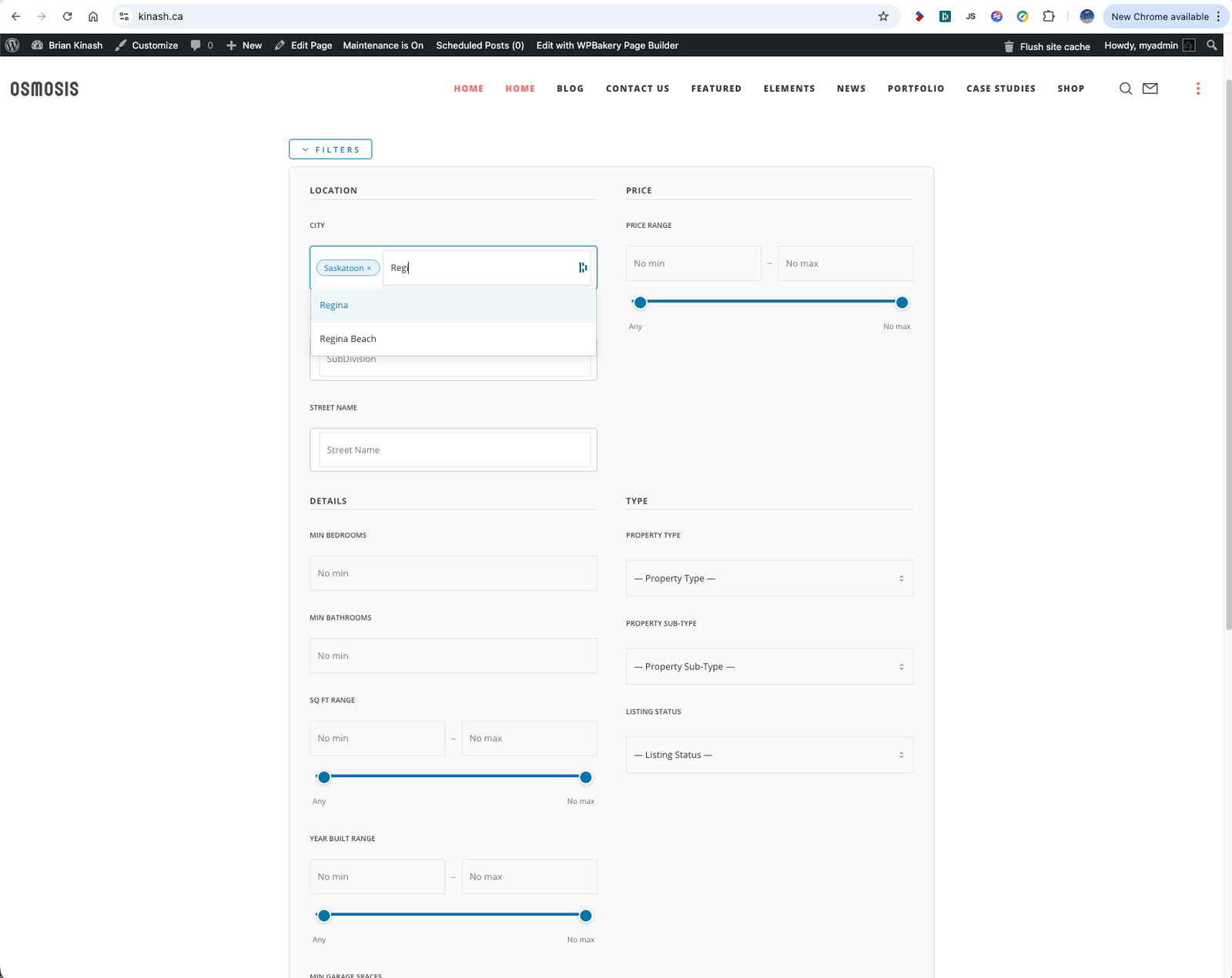
Screenshot 2026-03-25 at 6.52.43 PM
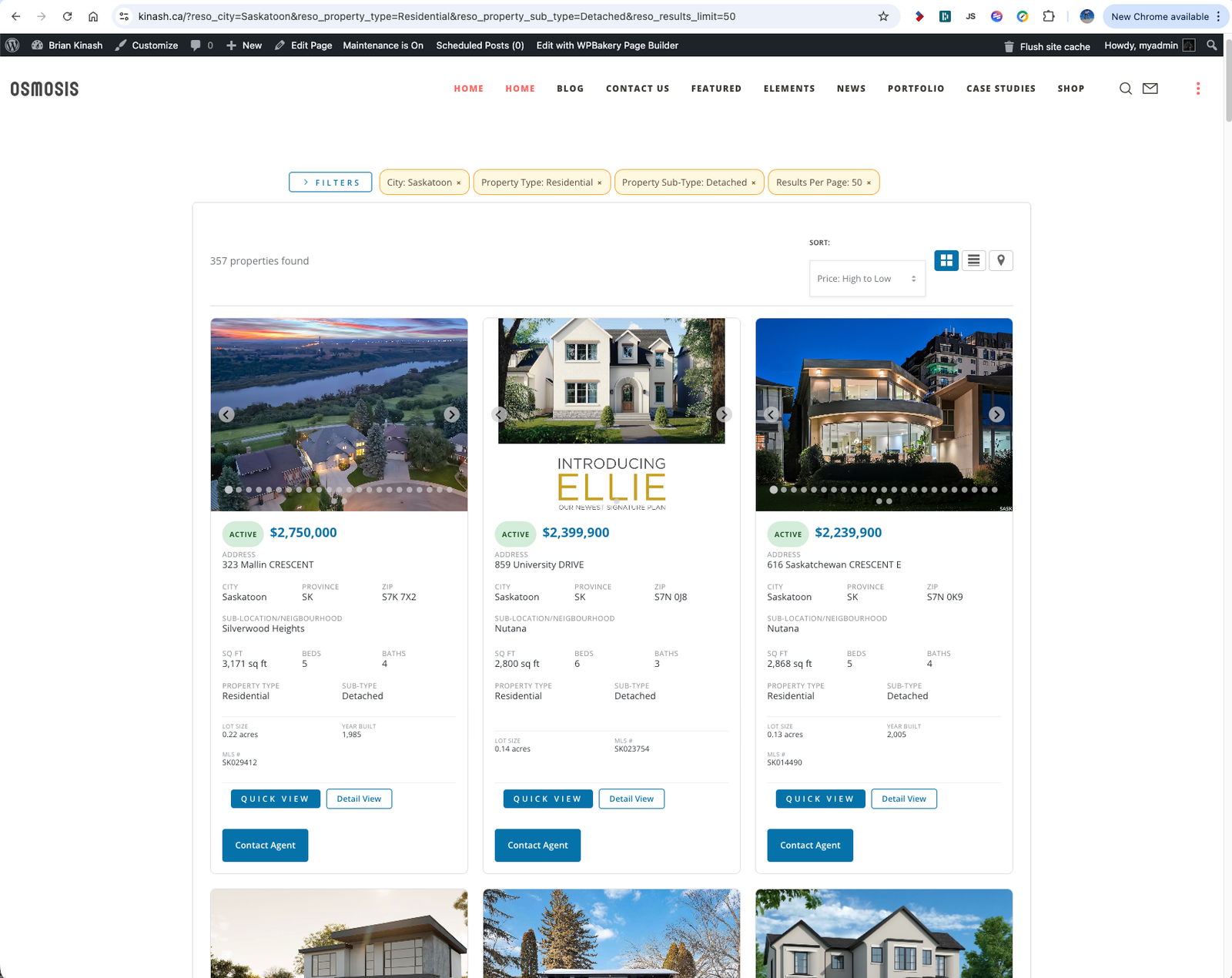
Screenshot 2026-03-25 at 6.53.34 PM
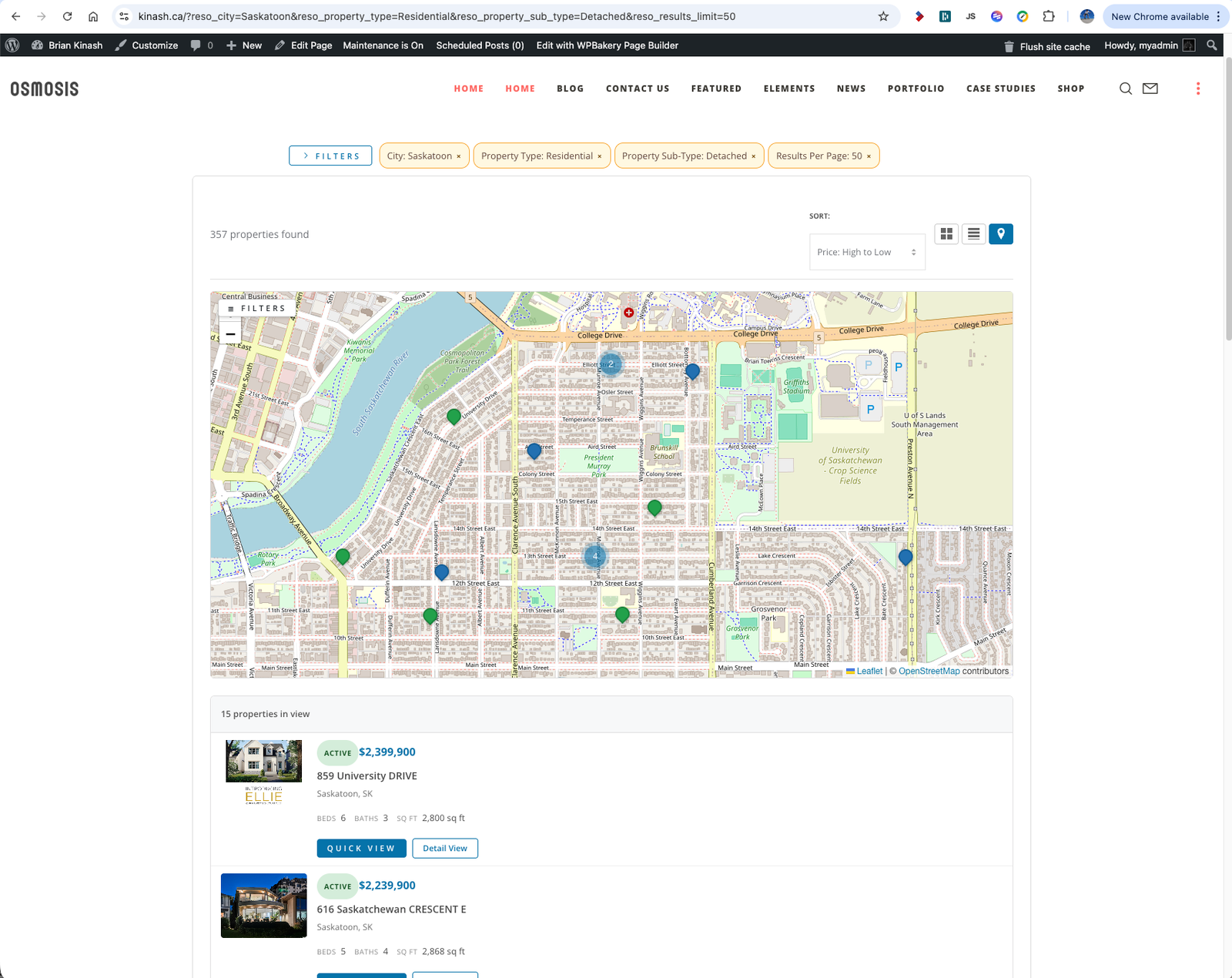
Screenshot 2026-03-25 at 6.54.03 PM
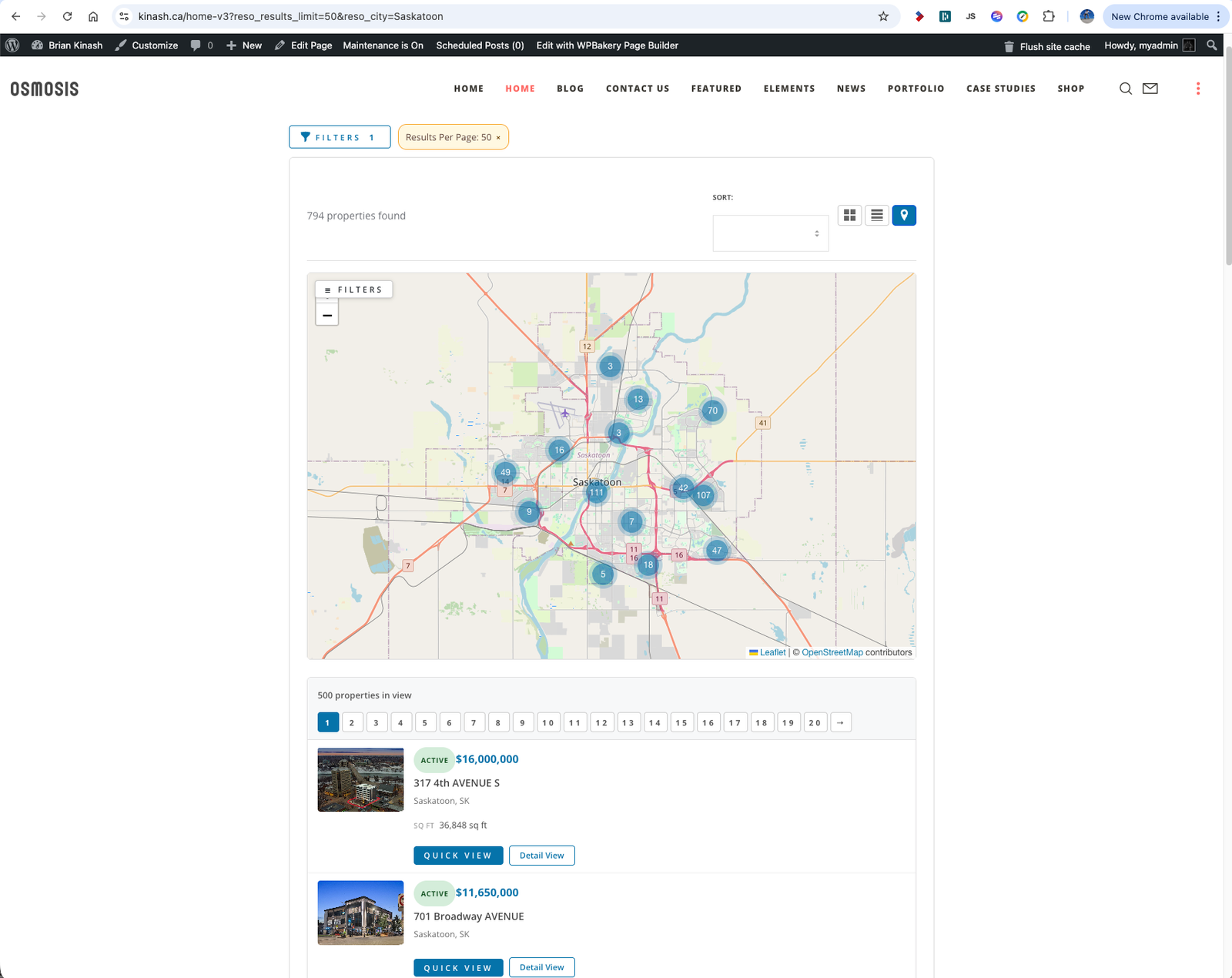
Screenshot 2026-03-25 at 6.55.18 PM
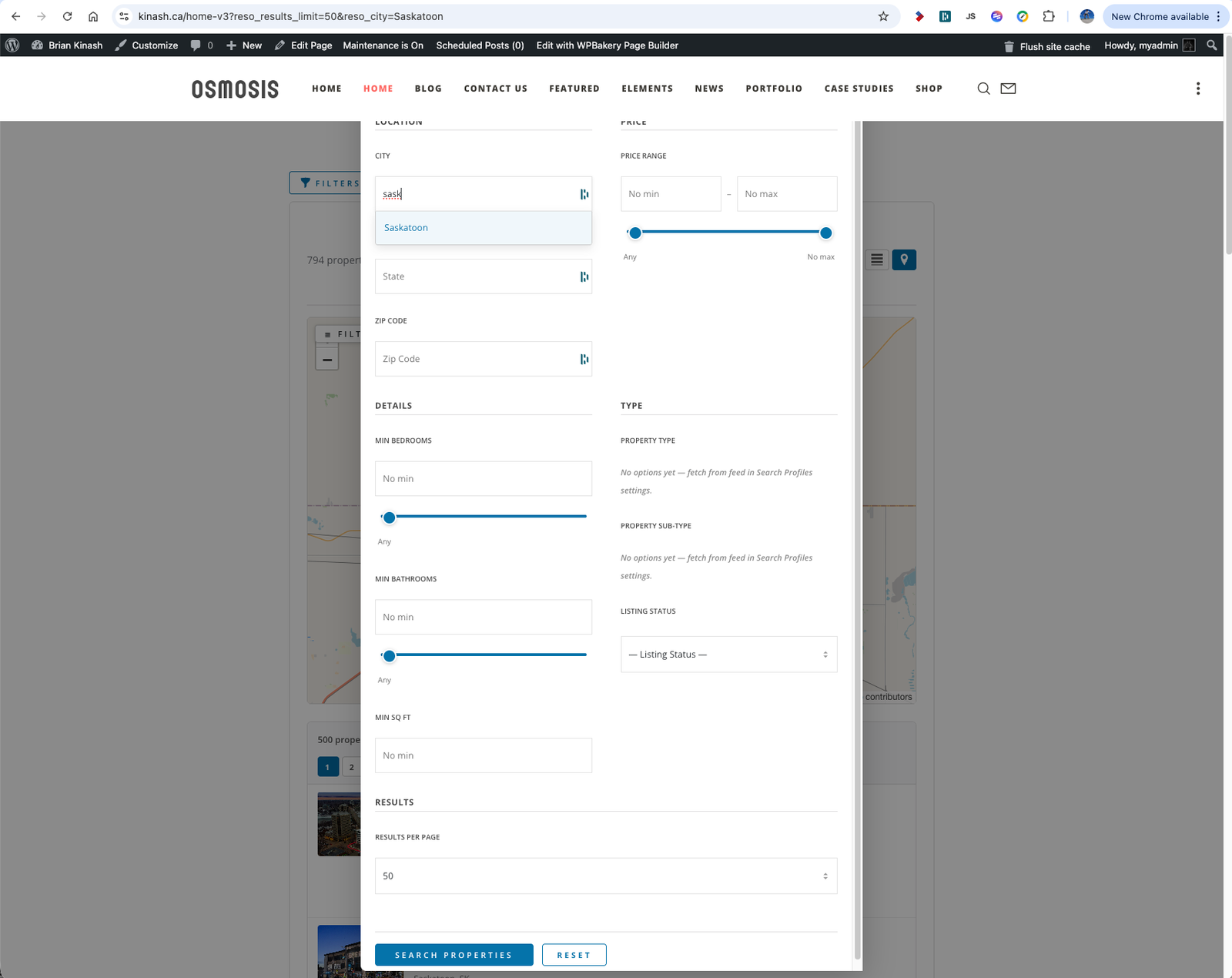
Screenshot 2026-03-25 at 6.55.45 PM
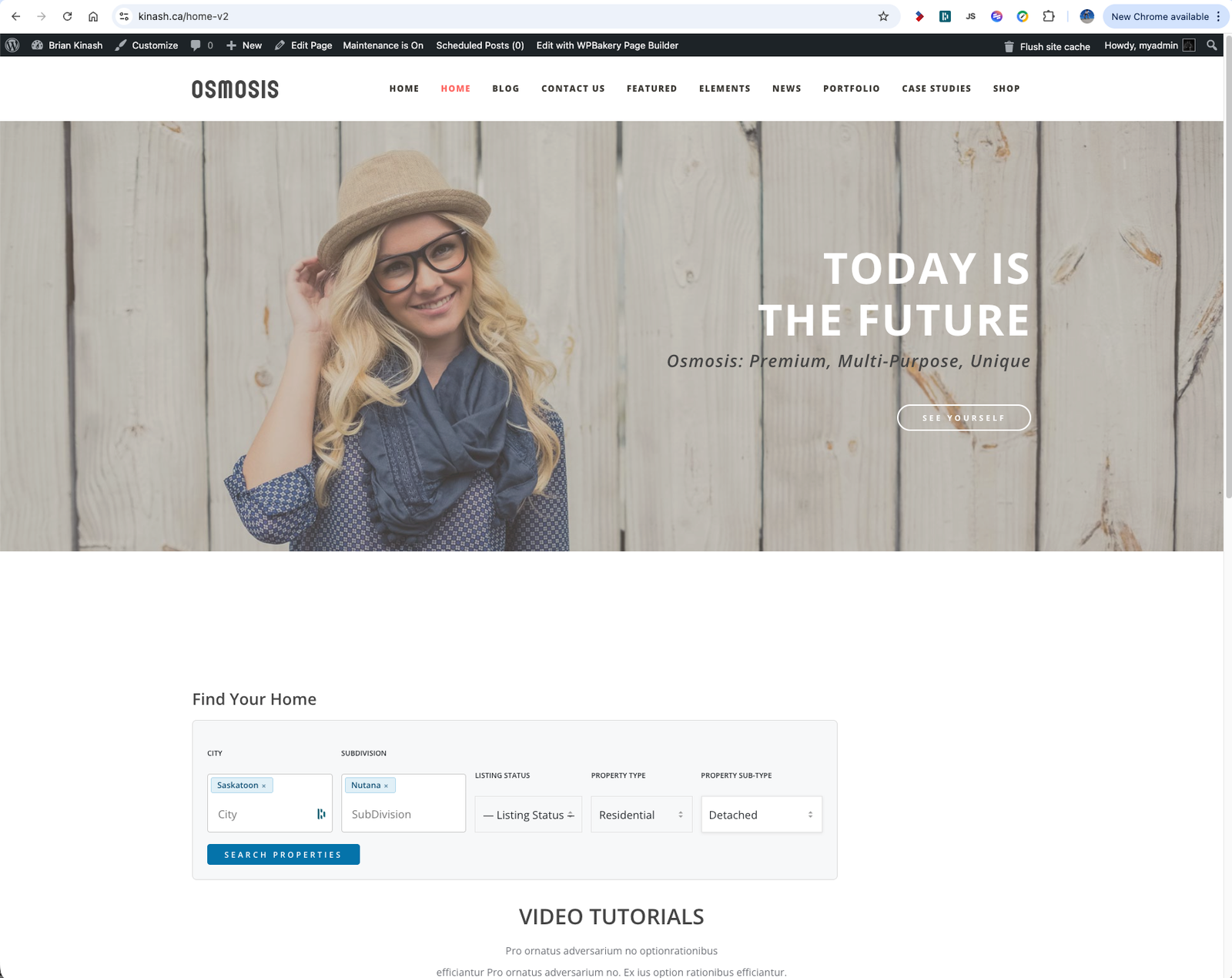
Screenshot 2026-03-25 at 6.56.48 PM
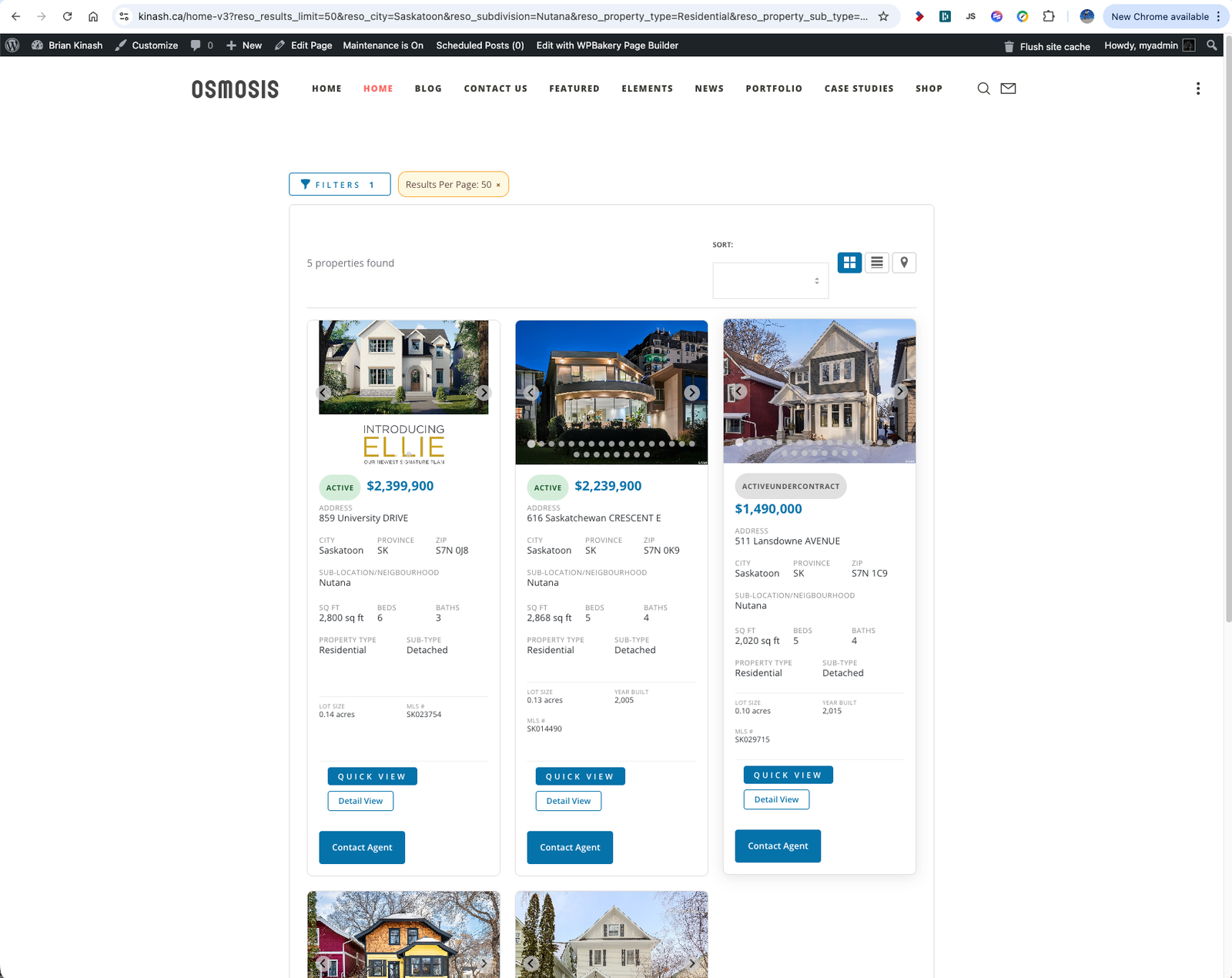
Screenshot 2026-03-25 at 6.57.00 PM
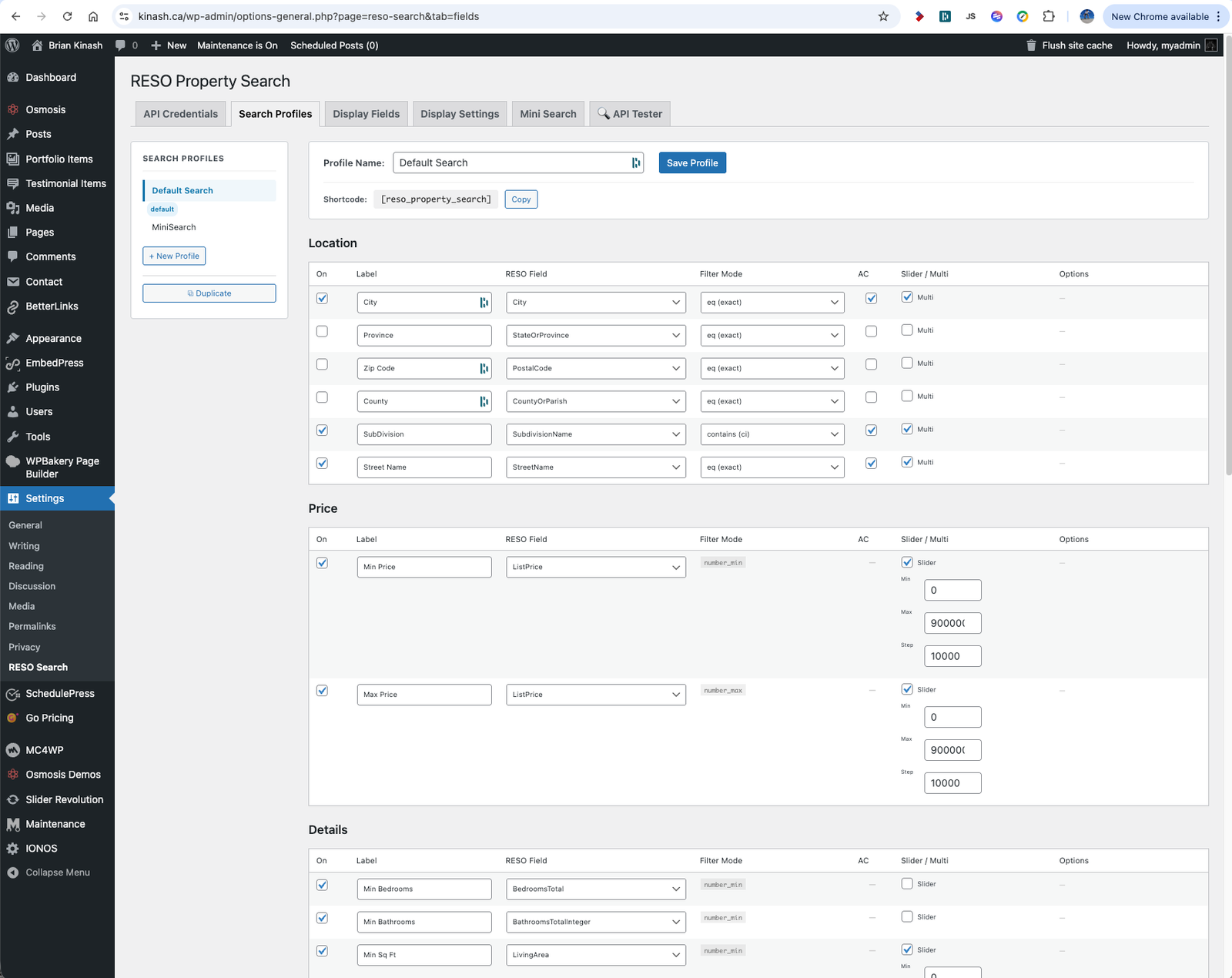
Screenshot 2026-03-25 at 6.59.40 PM
Screenshot 2026-03-25 at 6.59.47 PM
Screenshot 2026-03-25 at 6.59.56 PM
Screenshot 2026-03-25 at 7.00.02 PM
Screenshot 2026-03-25 at 7.00.07 PM
Project Overview
The RESO Property Search Widget was built to solve a recurring problem in real estate web development: most IDX solutions are delivered as iframes, external widgets, or subscription-gated platforms that offer little design flexibility, poor theme integration, and no control over the user experience once a visitor leaves the embedded search.
TheWebStudio.ca designed and developed a plugin that connects directly to RESO Web API-certified MLS feeds using OAuth 2.0 or static Bearer token authentication, retrieves live property data directly from the MLS feed, and renders it natively within WordPress using a fully configurable shortcode and template system.
The result is a reusable, professionally architected IDX integration system that supports branded listing displays, multi-profile search configurations, server-side rendered results for SEO, a compact homepage search widget, and a dedicated XML sitemap feed for listing pages — all managed from a structured WordPress admin panel.
Project Details
Client: Internal Product / Real Estate Agency Application
Agency: TheWebStudio.ca
Scope: WordPress Plugin Development, RESO Web API Integration, Admin UI System, Front-End UX
Platform: WordPress
Stack: PHP, JavaScript, RESO Web API (OData), OAuth 2.0, WordPress shortcode framework, transient caching, native XML sitemap API
The Challenge
Connecting a WordPress site to a live MLS feed through a RESO Web API endpoint introduces significant technical and UX complexity. The plugin needed to handle real-time data retrieval, multiple authentication types, flexible search field configuration, and a responsive front-end — while remaining practical for real estate professionals to manage without developer involvement.
- RESO Web APIs require OAuth 2.0 or Bearer token authentication with proper token caching to avoid rate-limiting
- OData query construction needed to support diverse field types, filter modes, and multi-value selections
- Property metadata schemas vary by MLS provider — the plugin needed dynamic field discovery to remain adaptable
- Most real estate sites need more than one search context (e.g. residential vs. commercial, different city profiles)
- Live API calls on every page load would create performance and quota issues without a structured caching approach
- Search results needed to be crawlable by search engines, not just JavaScript-rendered, to support SEO goals
- Site owners needed a simple homepage search entry point that didn’t require the full search interface on every page
Objectives
- Build a complete RESO Web API client supporting OAuth 2.0 and Bearer token authentication inside WordPress
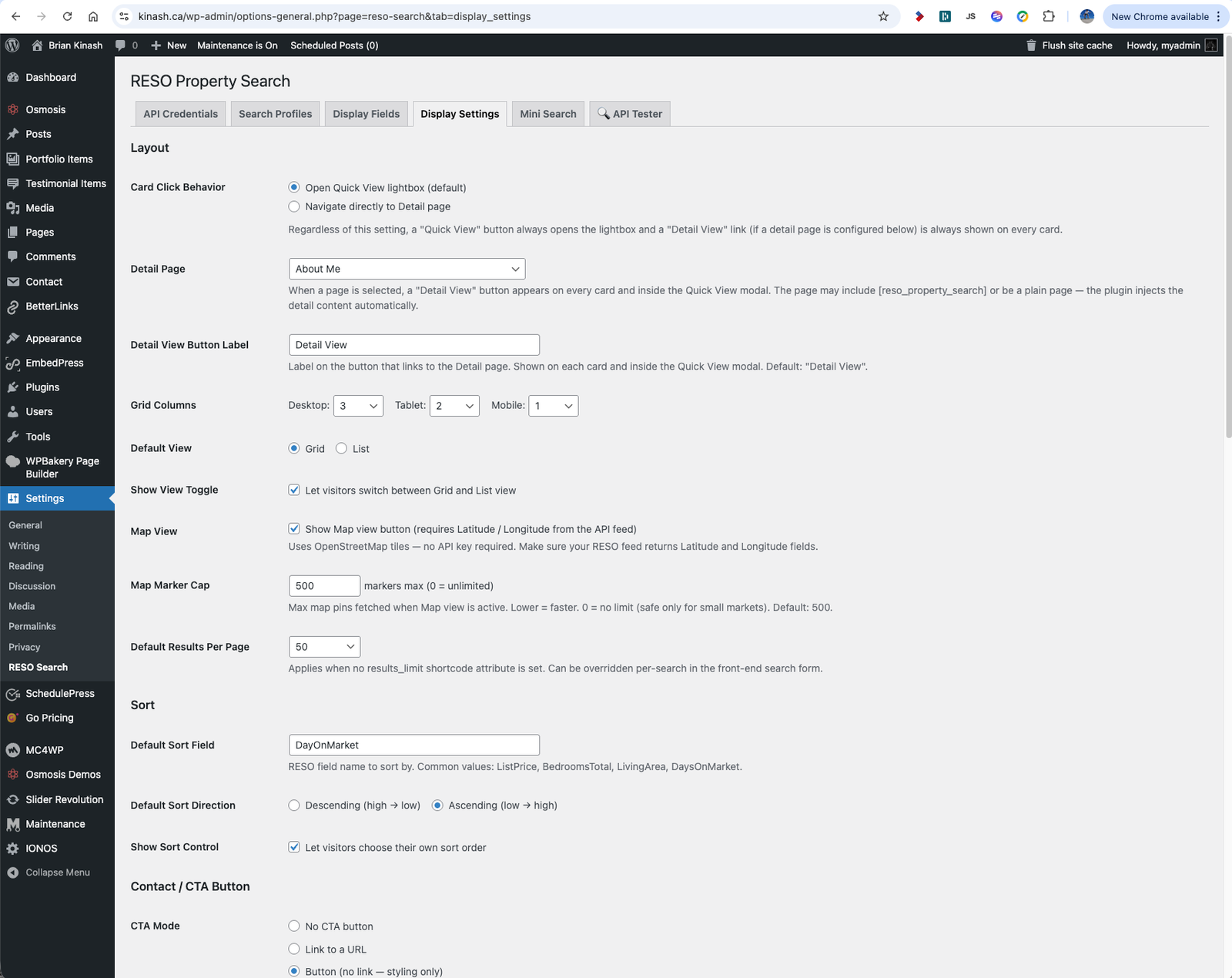
- Deliver a fully configurable property search shortcode with listing cards, photo carousels, pagination, and sorting
- Implement a Search Profiles system so a single plugin installation can power multiple distinct search experiences
- Add server-side rendered (SSR) results with progressive JavaScript enhancement for search engine indexability
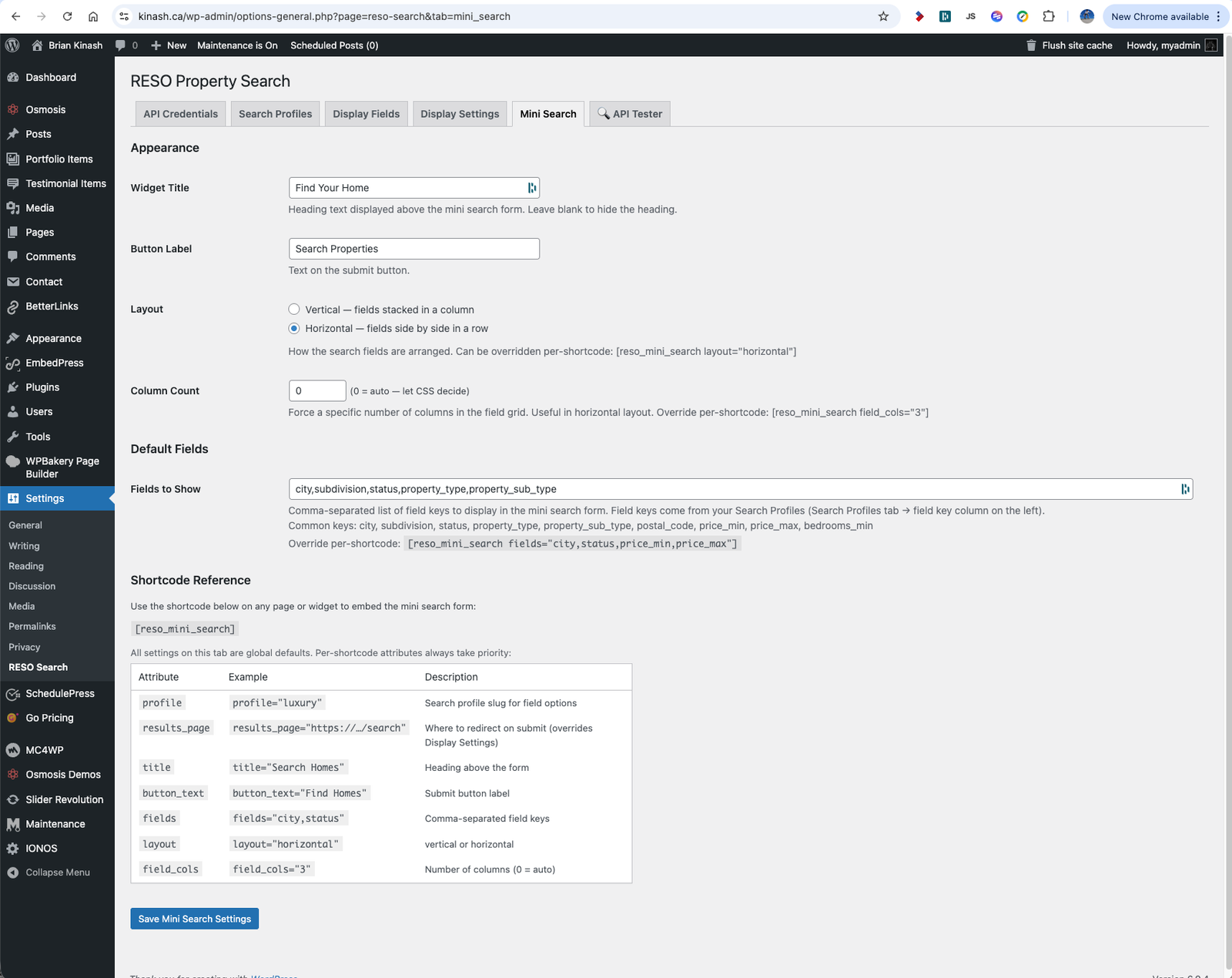
- Provide a compact Mini Search widget shortcode designed for homepage and landing page placement
- Integrate a dedicated XML sitemap provider to register individual listing detail page URLs with WordPress’s native sitemap system
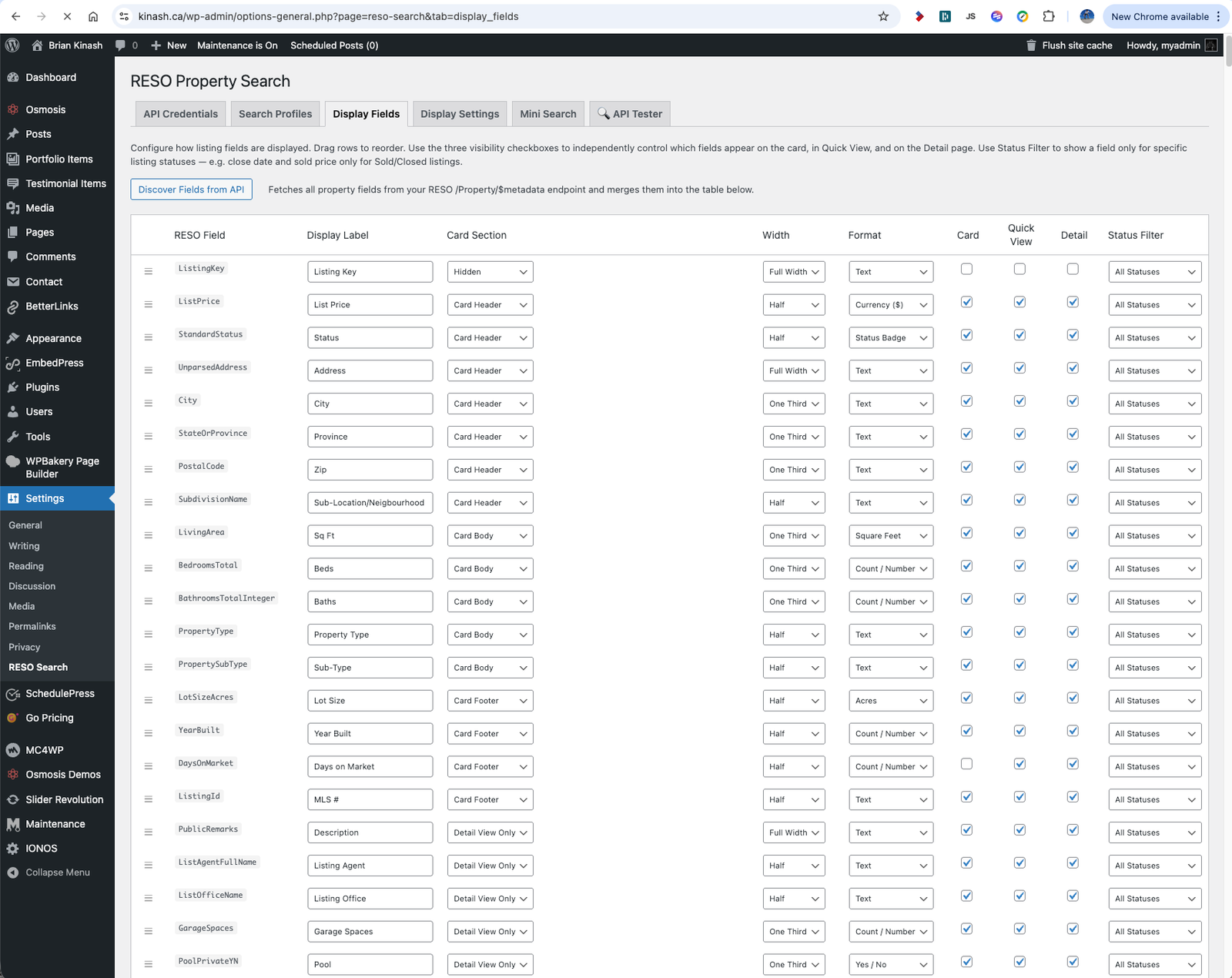
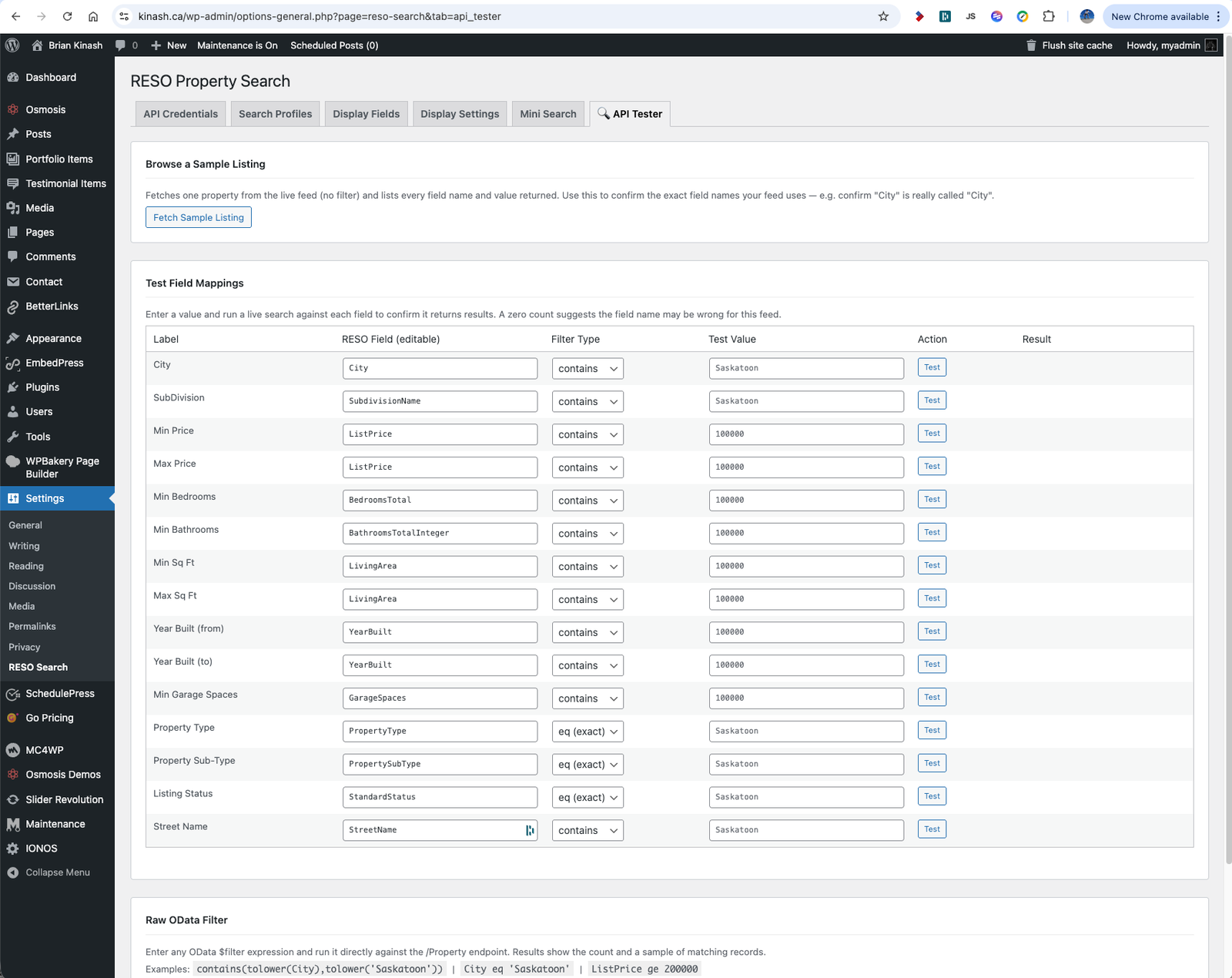
- Build a practical admin panel with API credential management, field configuration, display controls, and a live API Tester
- Design the system for reuse across multiple real estate client sites with minimal reconfiguration
Development Approach
TheWebStudio.ca approached this as a production-grade integration system rather than a basic plugin — structuring the architecture to handle authentication, metadata discovery, search configuration, and rendering as independent, maintainable components.
1. RESO API Client Architecture
The API layer was built as a dedicated class handling both OAuth 2.0 Client Credentials and static Bearer token flows. Tokens are cached using WordPress transients, eliminating redundant authentication requests. OData filter construction is handled programmatically from field configuration arrays, supporting equality matches, case-insensitive text contains, range filters, and multi-value picklist selections — producing clean, spec-compliant API queries across different MLS providers.
2. Dynamic Metadata Discovery
Rather than hardcoding MLS field schemas, the plugin includes a metadata class that fetches and parses the OData CSDL XML from the provider’s /Property/$metadata endpoint. This gives administrators a live field list from their specific API feed, making the plugin adaptable to different RESO-certified providers without code changes. Metadata results are cached for 24 hours via transients to avoid repeated parsing overhead.
3. Search Profiles System
A Search Profiles admin interface was introduced to allow a single plugin installation to power multiple independent search experiences on the same site. Each profile stores its own field configuration — including which fields are shown, their labels, filter modes, autocomplete settings, and multi-select options. Profiles are referenced by slug in the shortcode, making it straightforward to deploy different search contexts for residential, commercial, rental, or geographic segments.
4. Server-Side Rendering for SEO
Standard AJAX-driven search results are invisible to search engine crawlers. To address this, the plugin detects reso_* GET parameters on page load and performs a server-side API query, rendering a structured HTML block of matching listings before JavaScript initializes. The JS layer then progressively enhances the experience by auto-submitting the interactive form and replacing the SSR block — giving search engines a crawlable, paginated results page while users get a fast interactive experience.
5. Mini Search Widget
A dedicated
shortcode was developed for homepage and landing page placement — providing a compact, configurable search entry point that redirects to a full results page with the user’s query pre-applied. The widget supports vertical and horizontal layouts, configurable field sets, custom button labels, and a profile attribute for connecting to any configured Search Profile. Defaults are managed globally through a dedicated Mini Search admin tab.
6. XML Sitemap Integration
Listing detail pages needed to be discoverable by search engines independently of the main search interface. A custom sitemap provider class was registered with WordPress’s native sitemap system, generating paginated XML sitemap entries for each listing detail URL. This gave real estate sites a structured pathway for search engines to index individual property pages without any third-party sitemap plugin dependency.
Version History
The plugin was developed iteratively across 17 build snapshots, progressing through four major version milestones from a focused initial release to a fully featured IDX integration system.
v2.0.0 — Foundation
Core RESO API client with OAuth 2.0 and Bearer token authentication. Main
v2.3.4 — Profiles & Tooling
Search Profiles system replacing single field config. Field-level autocomplete, multi-select picklists, and filter mode control (eq / contains_ci). Expanded search form with range filters for price, bedrooms, bathrooms, square footage, and year built. Live API Tester admin tab for connection and query debugging.
v2.4.0 — SEO Layer
Server-side rendered search results template for crawlable listing pages. XML Sitemap provider class registered with WordPress’s native sitemap system, generating paginated sitemap entries for all listing detail page URLs.
v2.5.0 – v2.6.0 — Multi-Shortcode System
compact widget shortcode with layout and field controls.
dedicated results page shortcode with modal filter overlay. Separated search-filter-form template. Mini Search admin tab for global widget defaults. Final refinements to template architecture and admin UI.
Key Features Delivered
The finished plugin combines a professional API integration layer with a practical, site-owner-friendly management system — making live MLS data a native part of the WordPress experience rather than an embedded external service.
Three-Shortcode System
for dedicated landing pages with modal filters, and
or use filters
for compact homepage widgets — each configurable independently and connectable to any Search Profile.
Photo Carousels & Detail Views
Listing cards include touch-enabled photo carousels, Quick View lightbox modals, and optional Detail View page links — giving visitors a complete property browsing experience without leaving the site or triggering external iframes.
Admin API Tester
A built-in API Tester tab allows administrators to send live test queries to the RESO feed, inspect raw OData responses, and verify field mappings and authentication configuration without requiring external tools or developer access.